Showing posts with label accessories. Show all posts
Tuesday, 14 July 2020
Review: Qac Qoc USB C Hub & RJ45, HDMI, Card Reader Adaptor
Unboxing and first impressions
The Qac hub comes packed tightly in it's little box, once I popped it out it feels like quite a premium bit of kit. The main body feels like nice cold aluminium, kind of like Apple's Space Grey I suppose, top and bottom, sandwiching the white plastic RJ45, USB C out at one end and USB C lead input at the other end. The USB lead itself is quite thick, short, and looks reasonably durable.
One side of the hub has 3x USB 3 ports and 1x HDMI. The other side has a full size SDHC slot and a MicroSD slot. All these are labelled underneath.
I tested it on a Lenovo S340-14 Chromebook, which only has two USB C ports and only has 2 USB A ports, and out through a big 55 inch screen TV. It extended the desktop to the TV straight away, no issues there. The Qac hub is a useful bit of kit to keep in your laptop bag for any laptop that has USB C and is short on ports.
Labels:
accessories,
card-reader,
hardware reviews,
macbook,
qac qoc,
USB C
Wednesday, 5 June 2019
Mi Band 2 Review & Comparison To Mi Band 3
Xiaomi are set to release the Mi Band 4 shortly and I currently own a Mi Band 3 - so it might seem a little odd to review the Mi Band 2 now, but I am going to anyway.
I have been loving my Mi Band 3 for a few months and recently picked up a Mi Band 2 as a backup band.
The Mi Band 2 is predominately aimed at the fitness market. Its OLED mono display features a touch button for accessing the menu and can show you the time, steps taken and heart rate. As well as this it can tell you if you get a notification or phone call by displaying and icon on screen and vibrating. However, it doesn’t display what the notification says or who is calling you, it merely is a prompt.
All settings and syncing is done via the MiFit app on your phone.
Its 70mAh battery boasts 20 days on a single charge and I got close to that.
The body of the Band pops out of the strap and is charged with the supplied cable. I like this idea as it means straps can be replaced or changed easily.
Really that is all there is to the Mi Band 2. While it is huge step up from the original Mi Band, which didn’t even have a display, it lacks much in the way of functions. It is a basic device, but it doesn’t claim to be anything else.
Move forward to the Mi Band 3 and this adds more functions, while maintaining a similar design and style as its predecessor. The Mi Band adds a full touch screen which can now show more information, display notifications in full as well as caller ID - with the ability to reject calls, sleep monitoring, timer, weather, phone locator and more.
Both bands are great. If you want a pedometer with heart rate monitor and nod every time you get a notification, then the Mi Band 2 is great. If you want something with more features and full notifications then the Mi Band 3 is a better option.
Written by Simon Royal. Follow me at twitter.com/simonroyal
Labels:
accessories,
mi band,
smart watches,
watches,
xiaomi
Thursday, 25 April 2019
Cheap Smart/Fitness Bands... ID115 and ID115 HR Plus Review
Once a nerdy trend, smart watches and fitness bands are now the coolest tech out there. As with most technology cheap alternatives work their way in, but are cheap bands any good?
FitBit are a big name in the sports band area however personally I do not rate them in terms of quality and value for money, so when my daughters FitBit Charge lasted only a few months I wasn’t keen on replacing it with another high priced offering.
ID115 Review
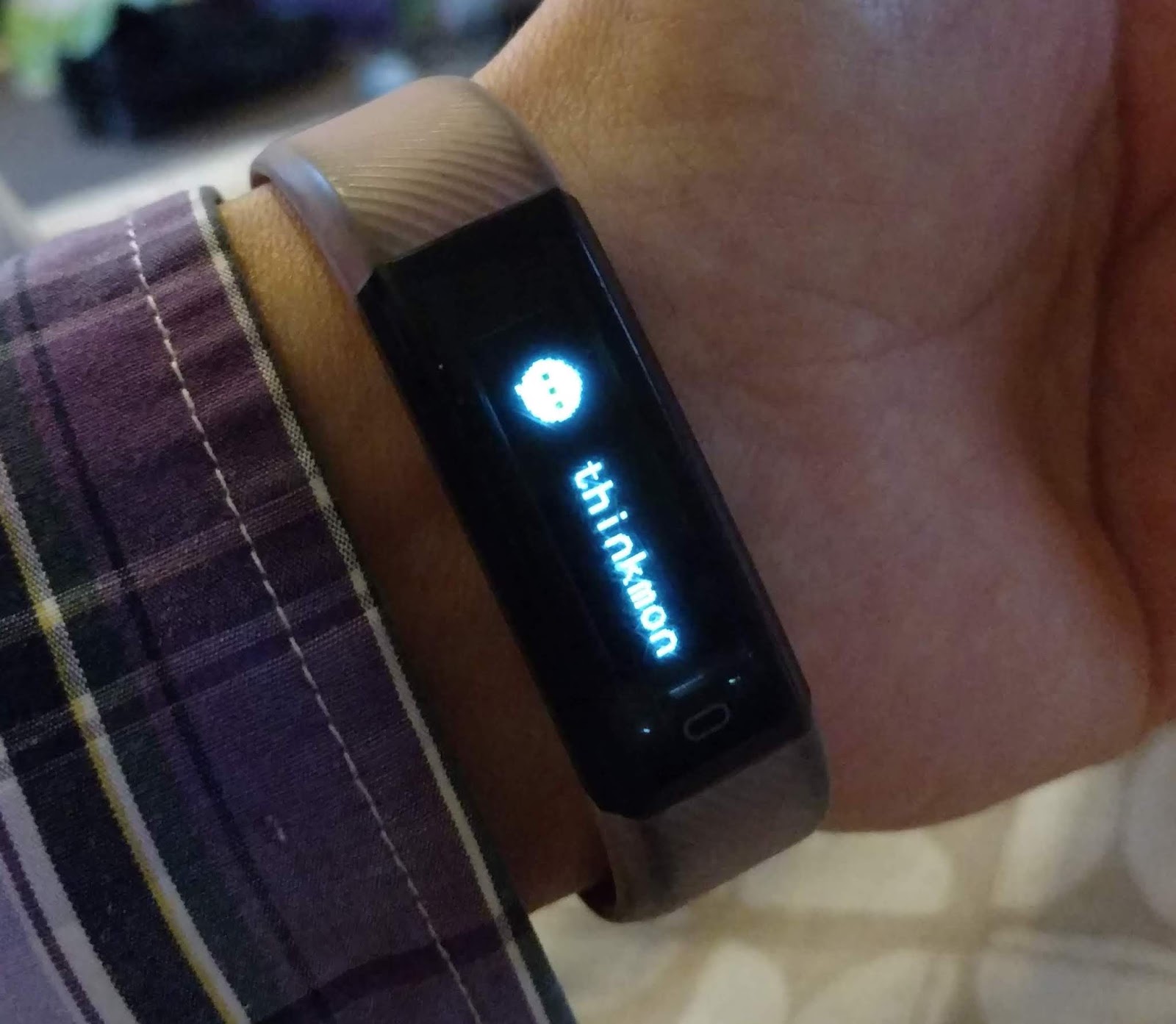
For under ten pound I picked up a smart fitness band online. I am not sure who makes it, but it is labelled as an ID115. A small thin band which features a mono low resolution screen, which while isn’t touch capable it does have a touch sensitive button at the bottom of the screen for menu control.
It has removable and replaceable straps (something the likes of FitBit and Microsoft Band didn’t offer), to reveal a built in USB connection for charging. You simply plug the watch into a USB socket - so no need for a cable - It’s tiny 45mAh battery takes an hour to charge and lasts around 3 or 4 days of average use - despite several sellers claiming 10 days.
Function wise it offers a watch face, call/app notifications (although limited to a few selected apps), sports tracker for steps, calories and distance. It also has remote camera function, find my phone and is waterproof.
The band connects to your Android/iOS device via bluetooth and is controlled via the VeryFitPro app which does a good job of syncing and keeping your fitness history as well as tweaking the settings of your band.
I wasn’t expecting much from this cheap band, but both my daughter and I have been thoroughly impressed. After a terrible experience with her FitBit she is loving this.
ID115 HR Plus
I was looking for a new band and after the great experience of the ID115 I wanted something similar. The low res screen of the ID115 was its only niggle, so when I saw the ID115 HR Plus with its bright colour screen I thought I would grab one and at only £6 would be a cheap option.
It has the same functions as the ID115 - call/app notifications, sports tracker for steps, calories and distance but with added heart rate and blood pressure monitors.
Initially I was impressed. The screen was bright and clear and the colourisation made it look great, and once again not a touch screen device, but a touch sensitive button at the bottom of the screen. The menu was similar to the ID115 and also has replaceable straps and charging via the built in USB connection.
The band connects to your Android/iOS device via Bluetooth and is controlled via the Yoho Sports app which is similar to the VeryFitPro but oddly lacks a few options such as remote camera and screen rotation.
However, the joy of this band was short lived. Despite almost doubling the battery to 80mAh, this band would need charging at least twice a day - even though it was advertised as lasting around 5 days.
After just two days this began to really annoy me and the band was returned.
Summary
Cheap bands can be good. There are so many around your mileage may vary. A band for under ten pounds with replaceable straps is a great bonus and depending on your needs they could cover everything you want.
For me the fitness side isn't important, I just like notifications on my wrist. It saves me taking my phone out every time it buzzes so these bands suit my minimal needs.
For their price they are great for kids or people who risk damaging high priced watches/bands.
I was very impressed with the ID115, but not with the ID115 HR Plus.
Written by Simon Royal. Follow me at twitter.com/simonroyal
FitBit are a big name in the sports band area however personally I do not rate them in terms of quality and value for money, so when my daughters FitBit Charge lasted only a few months I wasn’t keen on replacing it with another high priced offering.
ID115 Review
It has removable and replaceable straps (something the likes of FitBit and Microsoft Band didn’t offer), to reveal a built in USB connection for charging. You simply plug the watch into a USB socket - so no need for a cable - It’s tiny 45mAh battery takes an hour to charge and lasts around 3 or 4 days of average use - despite several sellers claiming 10 days.
Function wise it offers a watch face, call/app notifications (although limited to a few selected apps), sports tracker for steps, calories and distance. It also has remote camera function, find my phone and is waterproof.
The band connects to your Android/iOS device via bluetooth and is controlled via the VeryFitPro app which does a good job of syncing and keeping your fitness history as well as tweaking the settings of your band.
I wasn’t expecting much from this cheap band, but both my daughter and I have been thoroughly impressed. After a terrible experience with her FitBit she is loving this.
ID115 HR Plus
I was looking for a new band and after the great experience of the ID115 I wanted something similar. The low res screen of the ID115 was its only niggle, so when I saw the ID115 HR Plus with its bright colour screen I thought I would grab one and at only £6 would be a cheap option.
It has the same functions as the ID115 - call/app notifications, sports tracker for steps, calories and distance but with added heart rate and blood pressure monitors.
Initially I was impressed. The screen was bright and clear and the colourisation made it look great, and once again not a touch screen device, but a touch sensitive button at the bottom of the screen. The menu was similar to the ID115 and also has replaceable straps and charging via the built in USB connection.
The band connects to your Android/iOS device via Bluetooth and is controlled via the Yoho Sports app which is similar to the VeryFitPro but oddly lacks a few options such as remote camera and screen rotation.
However, the joy of this band was short lived. Despite almost doubling the battery to 80mAh, this band would need charging at least twice a day - even though it was advertised as lasting around 5 days.
After just two days this began to really annoy me and the band was returned.
Summary
Cheap bands can be good. There are so many around your mileage may vary. A band for under ten pounds with replaceable straps is a great bonus and depending on your needs they could cover everything you want.
For me the fitness side isn't important, I just like notifications on my wrist. It saves me taking my phone out every time it buzzes so these bands suit my minimal needs.
For their price they are great for kids or people who risk damaging high priced watches/bands.
I was very impressed with the ID115, but not with the ID115 HR Plus.
Written by Simon Royal. Follow me at twitter.com/simonroyal
Labels:
accessories,
fitbit,
fitness devices,
smart bands,
smart watches,
smartwatches
Wednesday, 16 January 2019
Replacing a Pebble 2 with a Xiaomi Mi Band 3
I was recently looking for a replacement for my old Pebble, one that was a bit more comfortable and still supported. With not enough budget for a proper smart watch, the opportunity to get something cheap as a requested Xmas present came about. At
£20, the Xiaomi Mi Band 3 is probably the cheapest way to get your phones notifications onto your wrist!
In the box, there's a charge cable, the watch itself and the rubbery plastic strap which pops round the watch. I was struck by how tiny it is. It does not come with a charger but most USB A phone chargers should be fine. The watch needed charging up right from the off, it was totally out of charge, it's so tiny that it charges from one end - you have to take it off the strap to charge it.
Once fully charged up, I paired it using their app which was simple enough once you sign up/into it, I used my Google account.
Overall I am quite happy with it, I've been getting around 14 days battery life and the strap is more comfortable than the one on my Pebble. I wear it 24/7, it's properly waterproof, you can even swim with it! Incidentally, you can buy replacement straps in various colours for a few quid from Amazon or eBay. It's nice being able to see who's calling or messaging by looking at my watch rather than fumbling for my phone when my hands are full. The only thing I miss from my Pebble is being able to do a thumbs up to Facebook Messages! I'll probably keep the Mi Band awhile, until I one day can afford a decent Android Wear watch.
£20, the Xiaomi Mi Band 3 is probably the cheapest way to get your phones notifications onto your wrist!
In the box, there's a charge cable, the watch itself and the rubbery plastic strap which pops round the watch. I was struck by how tiny it is. It does not come with a charger but most USB A phone chargers should be fine. The watch needed charging up right from the off, it was totally out of charge, it's so tiny that it charges from one end - you have to take it off the strap to charge it.
Once fully charged up, I paired it using their app which was simple enough once you sign up/into it, I used my Google account.
Then it needed a firmware upgrade but for some reason after the upgrade, I had to re-pair it again.
I then had to fiddle about a bit to get notifications from my Pixel XL to work. Notification settings are in Advanced Settings. I had to manually enable each app I wanted notifications from, which makes sense I suppose, you don't want everything buzzing the watch all the time. I also found an app called Mi Band Tools - £3 - that has a lot more configuration of notifications if you need it. There's a maximum of 5 notifications stored which you can scroll through and clear them by holding the button a bit.
The time is not always on, you have to touch it to show the display or enable the 'lift wrist to show display' setting.
I couldn't seem to get it to read my heart rate but I'm not really bothered as I didn't buy it for the keep fit stuff, more for the watch function and notifications on my wrist. I've turned off Automatic Heart rate detection, to get better battery life.
I find the alarm clock function on the Mi Band very useful as it often wakes me up when my phone alarm doesn't. On my phone I manually make alarms for 10 min intervals for several hours, whereas on the Band i can set one that will go off and repeat every 10 mins until I stop it, giving me little vibrations to my wrist.
After 13 none-stop days on my wrist, the Mi Band prompted me to charge it, at 15%, so I popped it on charge. It took around a couple of hours on the 1.5A charger that I used and it prompts you when it's reached 100%.
I couldn't seem to get it to read my heart rate but I'm not really bothered as I didn't buy it for the keep fit stuff, more for the watch function and notifications on my wrist. I've turned off Automatic Heart rate detection, to get better battery life.
I find the alarm clock function on the Mi Band very useful as it often wakes me up when my phone alarm doesn't. On my phone I manually make alarms for 10 min intervals for several hours, whereas on the Band i can set one that will go off and repeat every 10 mins until I stop it, giving me little vibrations to my wrist.
Overall I am quite happy with it, I've been getting around 14 days battery life and the strap is more comfortable than the one on my Pebble. I wear it 24/7, it's properly waterproof, you can even swim with it! Incidentally, you can buy replacement straps in various colours for a few quid from Amazon or eBay. It's nice being able to see who's calling or messaging by looking at my watch rather than fumbling for my phone when my hands are full. The only thing I miss from my Pebble is being able to do a thumbs up to Facebook Messages! I'll probably keep the Mi Band awhile, until I one day can afford a decent Android Wear watch.
Labels:
accessories,
android,
fitbit,
fitness devices,
mi band,
mi band 3,
smart watches,
xiaomi
Sunday, 11 September 2016
iPhone 7 And The Removal of The Headphone Jack.
So, yet again Apple makes an incremental update to their iPhone range with ever so slightly tweaked design, slightly faster CPU, better cameras and removal of the headphone port, supposedly allowing better quality audio, but actually a ploy to eek more money on accessories, such as their £159 AirPods, and whatever sludgy sounding overpriced crap (Apple-owned) Beats produce these days. And it still does not have wireless charging, which Apple will probably debut that on the iPhone 8, call it new and "magical" and use their own particular incompatible format.
I keep hearing the same arguments by various tech people that removing the headphone jack is no big deal because we used to have phones that had proprietary adaptors for headphones. Those people seem to forget that every device maker had proprietary connectors for charging or headphones so you ended up with a box full of all these different cables. Nowadays, all chargers are Micro USB or USB C, except Apple. We don't want to go back to the dark ages of tech! If you are stuck somewhere without a charger or headphones you can usually borrow a charger off somebody or pop into a pound store and get a micro USB lead or ear buds in an "emergency". And headphone makers will have to have work with Apple to get their Lightning and wireless headphones working with the iphone 7 (and maybe not working with non-Apple devices). I doubt the overpriced wireless AirPods will work properly with non-Apple devices either.
The use of a Lightning port to analogue adaptor cannot really improve audio quality (since analogue is still the destination) and Bluetooth headphones just aren't up to the quality of decent wired headphones. Plus the headphone jack component was pretty tiny and maybe could have been moved back to the top of the device instead. And although headphone jacks can break with abuse, they are still tougher than the awful quality of Apple Lightning cables!
I have also heard the argument that removing the headphone jack helps with making the iPhone 7 water resistant, but other device makers seem to have no trouble making their devices water resistant without removing it. iPhone 7 users who want to use wired headphones while charging their device will have to buy an adaptor from Apple (£49) or elsewhere, and not lose it. iPhone users tech lives must be all about buying and (not) losing adaptors!
Meanwhile, outside of the Apple Reality Distortion Field..
Of course the recently released Motorola Moto Z had beaten Apple to it and debuted with a lack of headphone jack earlier this year, not that is a feature to boast about. Sadly Motorola are a shadow of their former self ever since Lenovo took them over. I have a 2014 Moto X, their last really great non-Lenovo device.
The day before Apple's event, at a fairly dull, lower key, event, LG announced it's V20 phone with high quality quad DAC audio output, fast onboard modem, 4GB RAM, and fingerprint scanner. The specs are great and it's actually an innovative device compared with the iPhone 7. It brings it's 4 camera setup to the V range and keeps a removable battery, SD card slot, second screen along the top, and still has a headphone port! It's DAC includes a dedicated headphone amp too. The only thing I don't really like with LG is their skin over Android, but it is impressive to see it's the first Android device to ship with Nougat out the box. Having a massive SD card would be useful in the device for those who like to travel with lossless audio and for recording high quality UHD videos, which LG have added "Steady Record" electronic image stabilization (EIS). They have also improved the manual camera settings, including volume input levels on the HD stereo mics. It's also pretty tough device as it has a body MIL-STD 810G Military spec Transit Drop Test rating. Also, I am not sure whether it'll actually appear in the UK, since the V10 didn't.

I keep hearing the same arguments by various tech people that removing the headphone jack is no big deal because we used to have phones that had proprietary adaptors for headphones. Those people seem to forget that every device maker had proprietary connectors for charging or headphones so you ended up with a box full of all these different cables. Nowadays, all chargers are Micro USB or USB C, except Apple. We don't want to go back to the dark ages of tech! If you are stuck somewhere without a charger or headphones you can usually borrow a charger off somebody or pop into a pound store and get a micro USB lead or ear buds in an "emergency". And headphone makers will have to have work with Apple to get their Lightning and wireless headphones working with the iphone 7 (and maybe not working with non-Apple devices). I doubt the overpriced wireless AirPods will work properly with non-Apple devices either.
The use of a Lightning port to analogue adaptor cannot really improve audio quality (since analogue is still the destination) and Bluetooth headphones just aren't up to the quality of decent wired headphones. Plus the headphone jack component was pretty tiny and maybe could have been moved back to the top of the device instead. And although headphone jacks can break with abuse, they are still tougher than the awful quality of Apple Lightning cables!
I have also heard the argument that removing the headphone jack helps with making the iPhone 7 water resistant, but other device makers seem to have no trouble making their devices water resistant without removing it. iPhone 7 users who want to use wired headphones while charging their device will have to buy an adaptor from Apple (£49) or elsewhere, and not lose it. iPhone users tech lives must be all about buying and (not) losing adaptors!
Of course the recently released Motorola Moto Z had beaten Apple to it and debuted with a lack of headphone jack earlier this year, not that is a feature to boast about. Sadly Motorola are a shadow of their former self ever since Lenovo took them over. I have a 2014 Moto X, their last really great non-Lenovo device.
The day before Apple's event, at a fairly dull, lower key, event, LG announced it's V20 phone with high quality quad DAC audio output, fast onboard modem, 4GB RAM, and fingerprint scanner. The specs are great and it's actually an innovative device compared with the iPhone 7. It brings it's 4 camera setup to the V range and keeps a removable battery, SD card slot, second screen along the top, and still has a headphone port! It's DAC includes a dedicated headphone amp too. The only thing I don't really like with LG is their skin over Android, but it is impressive to see it's the first Android device to ship with Nougat out the box. Having a massive SD card would be useful in the device for those who like to travel with lossless audio and for recording high quality UHD videos, which LG have added "Steady Record" electronic image stabilization (EIS). They have also improved the manual camera settings, including volume input levels on the HD stereo mics. It's also pretty tough device as it has a body MIL-STD 810G Military spec Transit Drop Test rating. Also, I am not sure whether it'll actually appear in the UK, since the V10 didn't.
But it's Apple that usually get all the publicity, particularly from the mainstream newspapers (for example BBC and The Guardian) who usually fawn over the new iDevices, though with the removal of the headphone jack, that has taken centre stage in the press. Only time will tell how well the iPhone 7 goes down with the public, though of course there always seems to be a hardcore Apple fanboy following that will buy it anyway, even at the higher prices they are now here in the UK. I can only hope sanity prevails and the removal of the headphone jack really won't be a trend for future Android devices.
Further Reading:
Labels:
accessories,
apple,
headphones,
iphone,
iPhone 7,
LG,
LG V20,
Moto Z,
motorola,
smartphones
Saturday, 16 January 2016
REVIEW: XCSOURCE Qi Wireless Charging Case for LG G3 and Quick Circle apps
Just recently I accidentally fell over and smashed the screen on my LG G3 and the only protection I had was a Spigen TPU case, which did not protect the screen and so I had to send it away to be repaired. In the meantime I had to use my old LG optimus 2X (the first ever dual core smartphone) and a Sony Xperia Miro that I just picked up for music playing. Both are hideously slow for modern apps compared with what I am used to these days.
The back part replaces the original battery cover and instead of being smooth it has a slightly grippier finish which makes it easier to keep hold of. Just like the LG official case, the front flap that covers the screen has a circular hole that shows a clock or other little apps through. When you open the flap the screen automatically turns on. The clever thing is since the only part of the screen showing brightly is the circle, it should save battery life. Also since when you close the case the screen shuts off fairly quickly, which should also save battery life. I tend to tap the screen to wake it to show the time, then swipe to the right for a circle of other apps, such as a flashlight, music player, etc which you can add to from the Play store.
One cool feature of Quick Circle cases is if you open the camera app by holding the Volume down button for 2 seconds, the camera view appears in miniture inside the circle while the case is closed! Then take a photo with the a quick press of the same button, so you don't even have to open the case to take a photo.
LG devices that support Quick Circle cases have a section under settings to configure the apps:
Quick Circle Apps
My favourite on Play is Quick Circle Apps which is actually a nice little bundle of various open source Quick Circle apps.
* Quick Torch - torch application for Quick Circle and regular torch app
* Quick Music - music application for Quick Circle that enables you to use any music player (unlike LG's one)
* Quick Calendar - show your next events in the Quick Circle
* Quick Notifications - mirror your notification, so you'll be able to see them without unlocking
* Quick Toggles - Control your Wifi, Mobile data, Brightness... without unlocking
* Quick Stopwatch - Count time with one click
* Quick Calculator - Calculate stuff fast
* Quick news - read the important news from your feedly feed
* Quick Compass - find the north
* Quick Dialer - call without unlocking
* Quick Dice - roll a dice
* Quick scanner - scan QRCode
Quick Remote
Quick Remote uses the inbuilt TV Remote functions on the device.
Overall I love this case as it pretty much does the same job as the official LG Quick Circle case at a cheaper price and still looks very smart. I'm protecting the screen with the added bonus of having QI wireless charging, which I shall try as soon as I get a charging pad. The Quick Circle apps mean quick access to little utilities like flashlights and music player controls without using the whole screen, it should hopefully save battery power.
Quick Circle Apps
My favourite on Play is Quick Circle Apps which is actually a nice little bundle of various open source Quick Circle apps.
* Quick Torch - torch application for Quick Circle and regular torch app
* Quick Music - music application for Quick Circle that enables you to use any music player (unlike LG's one)
* Quick Calendar - show your next events in the Quick Circle
* Quick Notifications - mirror your notification, so you'll be able to see them without unlocking
* Quick Toggles - Control your Wifi, Mobile data, Brightness... without unlocking
* Quick Stopwatch - Count time with one click
* Quick Calculator - Calculate stuff fast
* Quick news - read the important news from your feedly feed
* Quick Compass - find the north
* Quick Dialer - call without unlocking
* Quick Dice - roll a dice
* Quick scanner - scan QRCode
Quick Remote
Quick Remote uses the inbuilt TV Remote functions on the device.
Overall I love this case as it pretty much does the same job as the official LG Quick Circle case at a cheaper price and still looks very smart. I'm protecting the screen with the added bonus of having QI wireless charging, which I shall try as soon as I get a charging pad. The Quick Circle apps mean quick access to little utilities like flashlights and music player controls without using the whole screen, it should hopefully save battery power.
Thursday, 4 December 2014
iPearl mCover HP Chromebook 14 Hard Shell Case Review
Since I happen to have had a "Coral Peach" HP Chromebook 14 bought for me, I decided I needed to tone it down a bit and have the added bonus of protecting it's bodywork too with a shell case that I found on Amazon UK. It's available in 9 different shades including clear, but I bought the black version since black goes with anything. It also kind of reminded me of the Apple BlackBook.
Naturally it arrived in a huge box with plenty of packaging. There was no instructions but it's fairly easy to work out how it goes on, there are clips around the lid and a lip along the bottom edge on the hinge side.
The bottom piece of the shell fits in a similar way but with larger clips on the corners and grill holes for cooling. It also has a couple of handy pull-down lugs at the rear that raises the laptop up on stilts, useful for those who like to have the keyboard angled more towards them, and also presumably to aid cooling, both intake and exhaust fans are on the base of the Chromebook. It has four big rubber feet to keep the laptop firmly rooted to the spot.
So far I am quite pleased with it, it does the job just fine, keeping my Chromebook in pristine condition, and avoids covering it with greasy finger marks that it so readily attracts.
If only it covered the rest of the pink bits! (Oo-errr!)
My next accessory purchase will hopefully be a decent Bluetooth mouse, this one in particular hopefully:
Update 13th February 2016:
I have just removed the bottom part of the case as I have lost one of the rubber feet, the glue must have tried out a bit and the HP feels better on my laptop without the plastic cover. The HP Bluetooth mouse I bought died within a month or two for no obvious reason.
Naturally it arrived in a huge box with plenty of packaging. There was no instructions but it's fairly easy to work out how it goes on, there are clips around the lid and a lip along the bottom edge on the hinge side.
The bottom piece of the shell fits in a similar way but with larger clips on the corners and grill holes for cooling. It also has a couple of handy pull-down lugs at the rear that raises the laptop up on stilts, useful for those who like to have the keyboard angled more towards them, and also presumably to aid cooling, both intake and exhaust fans are on the base of the Chromebook. It has four big rubber feet to keep the laptop firmly rooted to the spot.
So far I am quite pleased with it, it does the job just fine, keeping my Chromebook in pristine condition, and avoids covering it with greasy finger marks that it so readily attracts.
If only it covered the rest of the pink bits! (Oo-errr!)
My next accessory purchase will hopefully be a decent Bluetooth mouse, this one in particular hopefully:
Update 13th February 2016:
I have just removed the bottom part of the case as I have lost one of the rubber feet, the glue must have tried out a bit and the HP feels better on my laptop without the plastic cover. The HP Bluetooth mouse I bought died within a month or two for no obvious reason.
Labels:
accessories,
cases,
chromebook,
computing,
hp,
laptops
Subscribe to:
Posts (Atom)