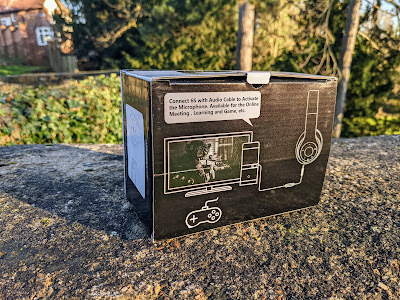
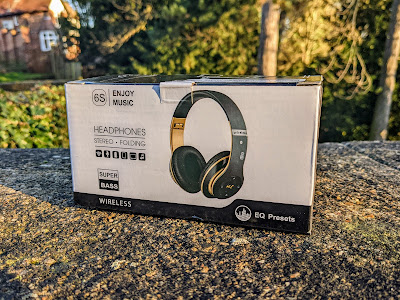
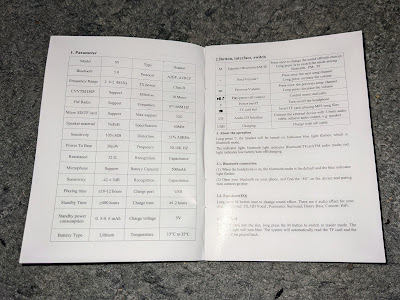
My old small foldable headphones recently stopped working properly, and they were getting tatty, so I quickly looked for a suitable replacement set. These 6S foldable headphones were highly rated on Amazon so I went for them. I chose them as they have USB C charging, wired and Bluetooth (5.0) modes and were cheap at just 22 quid. They can also play music from an SD/TF card of up to 32GB, and have an FM tuner too, though I doubt I will use that. They have a claimed playing time of 10 to 12 hours. My pair are black and gold but they're also available in other colours.
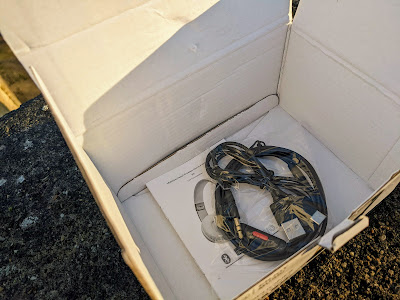
Upon unboxing, it took me a few moments to find the USB C port, it's discreetly placed on the side of the left headphone can. Inside the box there is a small instruction manual, a USB C lead and a reasonably long 3.5mm jack-to-jack audio lead (with inline button) to use them in wired mode. Being USB C, I can also charge them with my phone charger, which is handy, as it means I only have to carry one charger with me.
On the left can they have the Power button, Play/Pause/Call Control button, 'M' button (short press to change EQ mode, long press to switch between Bluetooth, FM and SD/TF card) and forward and back buttons. The SD/TF card slot is on the shoulder of the can and the headphone jack on the base of it.
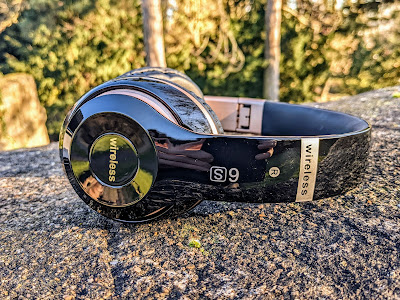
The 6S fold up to a fairly compact size. Not sure how long the hinges will last, they open and close with a hard click sound each time.
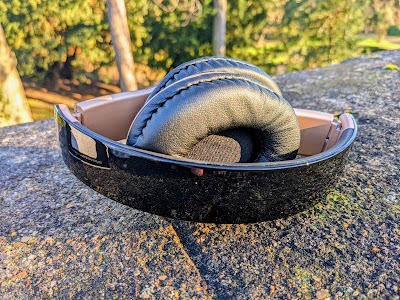
They are fairly comfortable to wear for an hour or two, but the only adjustment is the sliders for the band on them, so it may not suit everyone, and they really could do with a bit more padding at the top where it sits on your head. Wearing a hat underneath them might be a good idea...

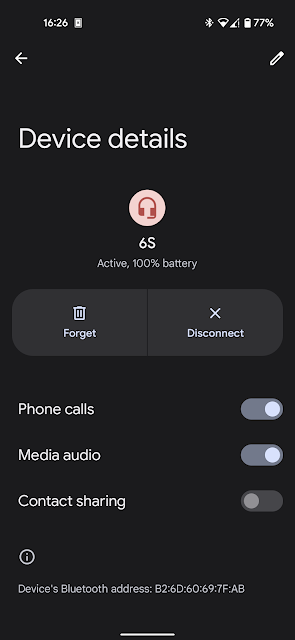
When you turn them on for the first time they go into pairing mode and they pair just like any other Bluetooth headphones. I had no issues pairing them to my Pixel 4a. A voice announces "power on" and "power off".
They have plenty of bass and are very loud, both in Bluetooth and wired modes, which is great. In wired mode they are louder than my budget JBL cans that I use on my workstation PCs. Even when not playing music the shape of them blocks out other sound to a certain extent.
Conclusion
So, overall these are a reasonably decent set of foldable Bluetooth headphones that have a bonus of wired and SD card modes too. Decent enough sound quality, plenty of bass and also nice and loud! They fold up to a handy size and can be used wired if the battery runs out while I am out. And I can charge them with a USB C lead and portable battery pack if I want to. For £22 on Amazon, they're worth keeping in my rucksack for when they're needed.