Friday, 13 August 2010

Apple iPad Review


Yesterday I had my first go on an iPad, several iPads actually since they had one in Comet and several in Currys, both shops being in the same area of Triton Road, Lincoln. Apologies for the poor photo, I had to be discreet and use my phone. Having heard people going on about the device for ages, with all the hype, I was expecting to be blown away, or at least a bit impressed. But it was not a very 'magical' experience for me, not helped by the fact my fingers still hurt from typing on the on-screen keyboard. I managed some Tweets, browsed the net and checked out the various apps installed. It was annoying trying to select part of a URL to delete it and it was harsh to type on without feedback. I could have attached it to the keyboard accessory, but that seems like defeating the object of a tablet.

I played with it for awhile in Currys, I must have been there for about 20 minutes without being hassled by staff, plus the time I spent on the one in Comet, so I had plenty of time to explore it. The iPad is most at home playing music and videos, and viewing photos, which was the only thing that impressed me, a bit. The way you can flick back and forth with your finger, and zoom in and out by moving your fingers together and apart was nice. Also doing this with web pages was useful too, though I couldn't seem to get the page to stay zoomed in like that. Auto-switching between landscape and portrait when it is turned round was nice too. Browsing through iTunes was OK apart from I kept accidentally selecting things. I suppose at least it could play music and browse the web at the same time, which is something...

I then tried the "Magic Piano" app that, having seen many videos of it, I expected better. The lag was atrocious! It was difficult to play a proper tune or chord sequence when the sound took a few seconds to play after hitting the keys, no matter what instrument I chose. I suppose the only realistic instrument to emulate would be a Mellotron, perhaps that's why there's a Mellotron app, even then the lag is longer than most Mellotron's I've seen in videos. And it was hard to actually play a chord without my fingers touching other notes by mistake.

Overall I wasn't blown away by it and I was not comfortable browsing the web on it for more than a few minutes. For viewing photos, music and videos it's fine, but it seems a very expensive toy just for those features, I was more impressed by an £79
Eken tablet from Amazon than this, which has the greater freedom provided by the Android OS, though i think I might save my fingers for something with a keyboard or a stylus. I certainly wouldn't recommend a tablet like the iPad for those who have even the slightest RSI!

Thursday, 12 August 2010

Integrating GMX Storage as a network drive via Nautilus in Linux

This is quite a simple way to access your GMX online storage in nautilus, I found this trick on this forum post, so I'm posting it here in case it disappears.


1) In nautilus' location bar, type this in and press enter:
davs://storage-file-eu.gmx.com/ (or davs://storage-file-us.gmx.com if you live in the US).


2) Enter your GMX e-mail address and password when prompted:


3) And now your GMX storage appears in nautilus:


Tuesday, 10 August 2010

PC vs Mac: Here's what you (really) need to know

Microsoft really must be getting desperate when they resort to simple mud-slinging to get people to buy there products. MS has a new page on their website on why you should get a PC rather than a Mac. Here's just some of their points and my response:

"Macs can’t connect to an Xbox 360" Why? because MS made it that way! Also you could use open source software to stream media to your 360 on any OS.

"Macs take time to learn" ALL operating systems take time to learn. As soon as you start to use a computer, you have to learn how to use it. It just depends where you start from! If you started off from Mac or Linux you would take time to get used to Windows.

"Apple’s productivity suite file formats won’t open in Microsoft Office on PCs." Er... MS Office available on the Mac. Also if MS file formats were truely open there wouldn't be any problem on any OS.

"It’s easy with a PC." It's easy on the Mac too. It depends what you want to do, some things are easier on Windows, some easier on the Mac, some easier on Linux.

"If there’s a Mac version of a program you need, you’ll have to buy it again and relearn how to use it on a Mac." Again, that works both ways, same argument as previous point. Plus there's plenty of free equivalent software on the Mac.

"Macs don’t work as well at work or at school." Increasing numbers of schools and university students use Macs.

"With PCs running Windows 7, you can play the videos and music stored on your home PC while you’re on the go, for free." Try Subsonic which is cross-platform, and also has iPhone and Android apps.

Microsoft should just concentrate on making a good product (or trying to) and not mud-slinging.

Saturday, 24 July 2010

Make Root's Apps Fit into Your Gnome Desktop

Having found a nice combination of icons and themes for Gnome that I like, it's mildly annoying when apps that run as root (such as Synaptic) look ugly because they use a very plain theme. I've been looking for this for awhile and stumbled across this solution by the user "FuturePilot" in an old thread in the Ubuntu forums:

sudo ln -s /home/.themes /root/.themes
sudo ln -s /home/.icons /root/.icons

This is a nice simple solution to the problem, so now Synaptic fits in with my desktop. My theme consists of Bluman-Clearlooks controls, Clearlooks window borders, and Reblumanity icons.

Sunday, 18 July 2010

5 Useful Audio Apps For Ubuntu Linux

For a long while Linux seemed a bit lacking in good audio apps, but it's improved so much in a short space of time and it's getting better all the time. Here I've gathered the necessary apps to get your music ripped, tagged, edited and played.


Audex CD Ripper

I've trawled the net for a good CD ripper on Linux and they all seem to be not quite what I want. Basically, I'd like a CDex for Linux. CDex sort of works under Wine but has trouble with the DVD drive sometimes locking it for other apps once I've closed it. I've found Audex to be the closest to it, plus it has album art downloading which CDex hasn't got. It is a KDE app so theres some KDE dependancies, but it looks and works fine on the Gnome desktop.


Audex is available from the Ubuntu repositories or from their site as source code.

Also consider: Sound Juicer, Rubyripper, Rhythmbox (a player that and rips)


Puddletag Mp3 Tag Editor

This is a relatively new app but it's quite well featured. It's loosely based on the Mp3tag available on Windows it is a good Linux alternative to it. I really like the Filename --> Tag and Tag --> Filename conversion it shares with Mp3tag, which other Linux apps generally lack. Another good conversion is it's case conversion which Mp3tag doesn't have. It's almost there, I only occasionally find my self going back to Mp3tag in Wine.


Download and installation instructions

Also consider EasyTag, Audio Tag Tool, Picard all available from the Ubuntu repos and Mp3tag under Wine.

  • Update 29/08/10: I have since found EasyTag to be more reliable and stable than Puddletag. EasyTag is very good, once you get used to the way it works.


Audacity Audio Editor

This really needs no introduction, it's probably the best free audio editor on any OS! It does look a bit different here due to my Ubuntu theme.


It's available from the Ubuntu repositories and from the Audacity site

Also consider: Traverso, LMMS, amongst others.


EasyMp3Gain

This is great GUI (Graphical User Interface) to the commandline mp3gain, vorbisgain and aacgain volume normalisation tools. Again, I used to use the Windows version of Mp3gain in Wine but having found EasyMP3Gain in the Ubuntu repos, I've switched and found it a lot quicker!


Also consider: Mp3gain under Wine.


Gmusicbrowser

For a long time I kept switching between various music players on Linux trying to find one that worked best for me. I used to be an Amarok fan before Amarok 2 came along, even by then it didn't really fit in with the Gnome desktop I'd switched to. I switched to Gnome having had so much trouble with Kubuntu, it always felt like Ubuntu's neglected brother. Having been recommended by a fellow Blogger user, Apocrypha, I tried Gmusicbrowser, and have found it to be lighter but feature-rich. It has good tagging support like Foobar on Windows and I like it's tray pop-up that gives you easy access to the controls. Unlike Rhythmbox, you can just hover over the icon. And the full controls are there, rather than just play/pause in Rhythmbox. The only thing Gmusicbrowser could do with is better USB device support.


Gmusicbrowser is available to install from the Ubuntu repos.

Also consider: Rhythmbox, Banshee, Foobar under Wine, and various others, just try them out, it costs you nothing but time!


And there we go, from ripped to playing, I think we have it covered!

Monday, 24 May 2010

8 Useful Google Chrome/Chromium Extensions (for Firefox fans)

When Google Chrome first came out, I found it much too basic, too lacking in features, however it has since grown much more useful since lots of extensions have been available. I'm using Chromium (the source code of which filters down to Chrome) on my old Compaq N400C (850Mhz/256MB RAM) laptop. I've recently upgraded the hard drive (from a 4200RPM 30GB to a faster 5400RPM 40GB drive) and did a fresh install of Ubuntu 10.0.4 LTS. Having found the Gnome desktop to be a little sluggish, I've installed the Lubuntu (LXDE) desktop, which comes with Chromium. Lubuntu looks great and works at a reasonable speed. I still use Firefox sometimes, but Chromium is lighter on resources and not as basic as Midori. I've been searching for extensions similar to my Firefox add-ons and have found these so far:


An essential extension! Though not quite as good as AdblockPlus in Firefox, this is the next best thing for wacker-moling those pesky ads.


Again, it's not quite as good as the Firefox equivalent, but good enough to prevent my old laptop from grinding to a halt under flash web elements.


Chromed Bird

On my desktop I love using Gwibber for keeping up with my Twitter (and Facebook) feed. However it's a little too resource hungry for my ageing laptop, so this is a good substitute. For Firefox, the equivalent add-on is Echofon.


I've been using this in Firefox for awhile, so I'm glad to have it in Chrome/Chromium, the only feature it lacks compared with the Firefox version is it lacks password sync. Syncing open tabs is a fairly new and useful feature.


Another useful bookmarking addon. I've been using in Firefox addon equivalent for a while.


For those who need their Greasemonkey scripts this extension gives "a little bit more Greasemonkey compatibility"


This extension/add-on is for sharing URLs to social networking sites, automatically creating a short URL, and is available for Chrome/Chromium and Firefox.


One of my favourite ways to while the hours away when bored!

Update: Google Chrome has just reached the landmark stable version

Sunday, 2 May 2010

Ubuntu 10.0.4 LTS: First impressions

10.0.4 LTS (codename: Lucid Lynx) is the latest version of Ubuntu, released just a few days ago. I did a fresh install on a HP D530 desktop (Pentium 4 2.8ghz, 2GB RAM, 40GB hard drive) and also upgraded my home-built desktop (AMD Athlon 64 2.4ghz skt 939, 3GB RAM). Here's my thoughts so far:


Sometimes it's the little things that impress me about a new OS release. For instance, during a fresh install, Ubuntu detected my time-zone so I didn't have to carefully pinpoint it on the map. There's now an installer slideshow while you wait the usually short (around 15 mins on an average PC) time until it completes. Once it finished and rebooted I was amazed at the boot time, booting in seconds, I barely had time to admire the new boot-splash screen!


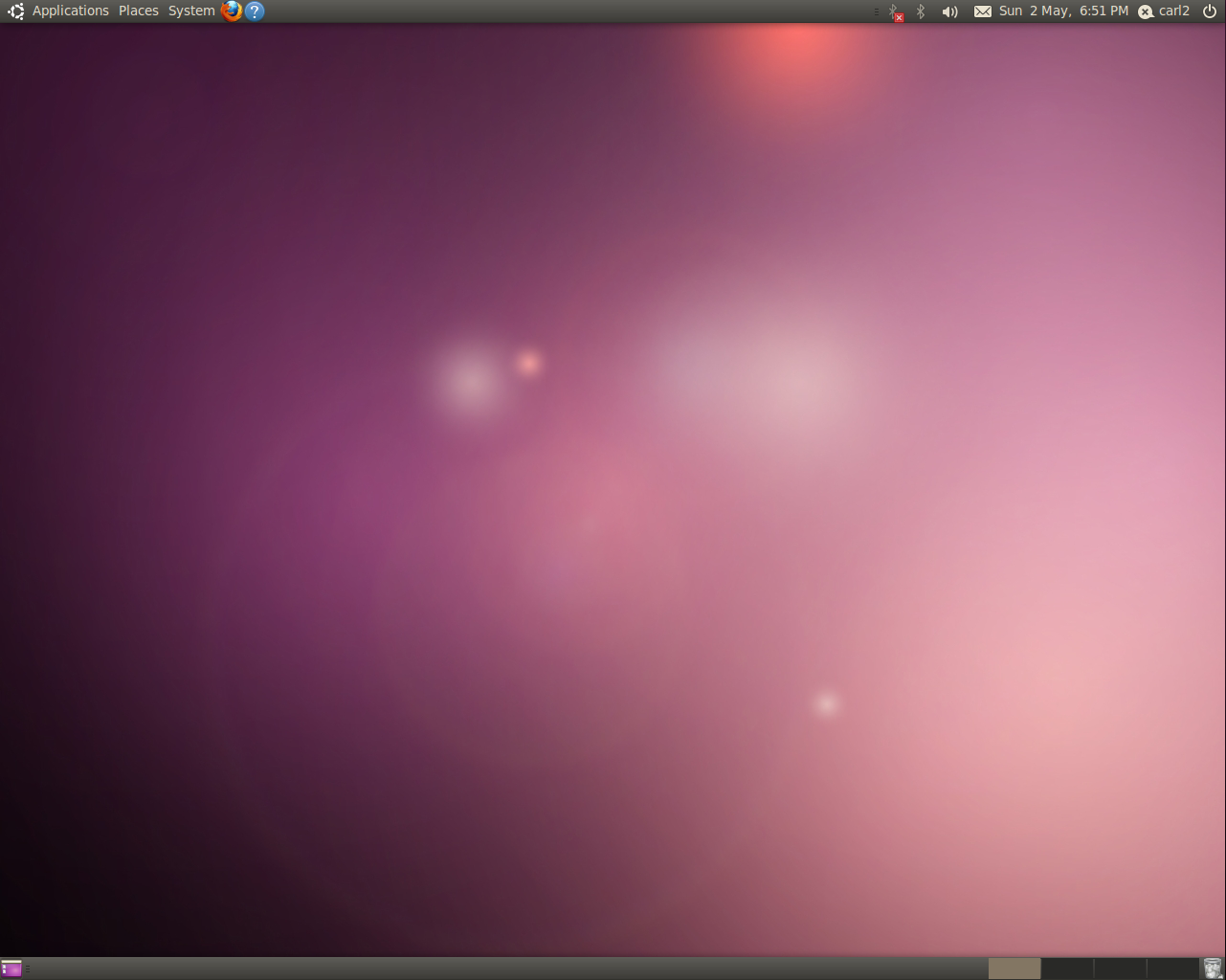
The default desktop now looks pretty slick, feeling similar to OSX, especially with the default wallpaper and title-bar button layout. However, if like me you prefer it how it used to be, it's fairly easy to change. (click the screenshot for a better view).


1. Press ALT + F2 to get a run box
2. type gconf-editor and press return
3. Navigate to Apps --> metacity --> general
4 Find the entry "button_layout"
5. Double click "close,minimize,maximise" on the right-hand side.
6. Edit the entry so it reads: "menu:minimize,maximize,close"
7. hit enter and you're done :)


One of the main features of this release is the new MeMenu. Once you have setup your chat accounts in Empathy (now the default messenger client) or Pidgin (which i still prefer), you can now update your Facebook and/or Twitter status from the text box in the MeMenu. Ideal for a quick tweet! By default it updates both FB and Twitter, but if you want, you can set just one in Gwibber, Ubuntu's default social media tool. I've been using it since 9.10/Karmic, and it has become even better in Lucid. Tweets now show up in speech bubbles and it's easier to differentiate between others and your own tweets. My only niggles are the buttons to select just Facebook or Twitter are too similar in shade. It is also still impossible to retweet a full, 140 character tweet, as it counts the 'RT @username' bit as part of this tweet.

MeMenu:


Gwibber:


Overall, 10.0.4 feels like a slicker, improved OS over the previous 9.10 (Karmic) release, a worthy upgrade, especially considering it is an LTS (Long Term Support) which means you won't have to upgrade for a long time if you don't want to. The only other niggle I had to attend to the volume control applet to the main panel was missing from startup items (add gnome-volume-control-applet to startup items), but easily fixed. This is the first time I haven't immediately changed the theme on a fresh install. The slick new theme is a refreshing change from the previous yucky brown releases, unless you were the minority who really were into brown. I should also mention the Ubuntu Software Centre has improved since last time, it feels a lot easier to find and install packages now. There's also the new Ubuntu One Music Store integrated into Rhythmbox, that I have yet to fully play with but seems to be a good alternative to the iTunes store. Ubuntu One is more integrated this time and actually connected at login every time, unlike in Karmic.

Download Ubuntu here.