Showing posts with label phones. Show all posts

Monday, 16 December 2024

From Google Pixel 4a to Pixel 8a

Well my Google Pixel 4a's battery has become so bad that 5 or so minutes of video recording is enough for it to shutdown, and much like my first gen Pixel years ago, it can no longer determine the true state of the battery. So I needed a replacement phone, and well...I wasn't going to go back to using my Pixel 3a, that's even older and out of support I think. Anyway, it happened to be my birthday and Black Friday was  upon us, so it was a good opportunity to upgrade. For me another Pixel device was the best choice, I have got used to all the Pixel-only features, the amount and quality of the updates and most importantly the lack of bloat! Stock Android is essential for me. The 8a was on sale at a decent price on Amazon and it arrived very quickly. Interestingly, purely by chance, it arrived at the same date that my 3a arrived five years ago, but then I got my Pixel 4a not long after that, so the 3a became the backup device. 


Unlike my 4a that Google sent me for free, which arrived in a fancy box with extra stuff, the 8a arrived in a very small box with no charger. I presume most phones do not come with chargers these days, but luckily I still have the original chargers from both my 3a and 4a. In the box there was a charging cable and the usual little metal SIM removal tool and little USB adaptor used for direct transfer between phones I think but I've never used them. I put the phones side by side and went through the setup process, including the settings transfer, wirelessly. One annoying thing is the process never syncs the state of my data settings, it always leaves 4G on. When left on it cost me 2 quid a day because I am on PAYG. After the initial transfer, I then updated the 8a to the latest version of Android, version 15 (my 4a is on Android 13).  


It is going to take awhile to get used to the fingerprint sensor being in the screen rather than on the back. In some ways it's more convenient, such as when it's flat on a table but it's not quite as reliable as the old rear mounted one. Combining with face unlock helps a little, when there's enough light for the camera to see at least.


One of the first things I noticed is they've nerfed the camera app, some of the advanced quality settings are missing and it seems the photos are not the highest the camera sensor can take, at least from what I understand. The Pixel 8 and 8 Pro have 50MP cameras, but the 8a shows "64MP effectively 16MP" on GSM Arena. Apparently you have to get the 8 and 8 Pro to get the much higher quality and more advanced settings. Bogus! The 8a has a fantastic camera sensor restricted down to a much lower quality. However, it does take better photos than the 12MP 4a at least so it's still an upgrade for me. And Night Sight is still brilliant too.


I've also discovered that from the Pixel 5 series, Google has stopped unlimited uploads of videos and photos to Google Photos, so photos taken with my Pixel 8a now take up space whereas those taken with my 4a or 3a don't. This is especially important with videos that can take up a lot of space. One workaround is to turn off uploads and copy the files to my older phones and let them upload the videos and photos, but that's a bit of a faff. Also, I wish they would not keep changing Google Photos, right now if you edit a photo in the phone app, you have to save it as a new file, which means taking up more space unless you delete the old one, so editing takes longer. In the Chrome app you can just save it over the original file, that's the default, as it should be. 


The front facing selfie camera is a huge upgrade from the Pixel 4A. At 12 megapixels it's the same number of megapixels as the rear camera on the 4a and I finally get to have slow motion on the selfie camera, which is nice. There's a couple of features on the camera I've not had on a phone before, a wide angle lens in addition to the main lens, and the long exposure feature in the camera app, which is good for creating light trails. 

Long Exposure

Night Sight and Long Exposure


Wide Angle

It's the first phone I've had that has no headphone jack but I've been using Bluetooth headphones for a long time with my phones, so I'm not too bothered, and I could use an adaptor if needed. The lack of headphone jack presumably helps give it IP67 dust/water resistance. Also The speakers on the 8a sound noticeably better, a little louder and fuller sounding I think.


Battery life has been great so far, lasting all day, when I've been out with just 50% battery I've still managed to get through the day without charging. I am determined to look after the battery better than than I did on the 4a, but whether it works in the long term we shall see. I intend to try not to use Quick Charging as much. As i was writing this review, the December feature drop came out, which should help me look after the battery, it added Battery Bypass, the ability to stop charging at 80%. I'm currently charging about once a day on my average usage. 

So in conclusion, I am pretty happy with my Pixel 8a, other than the dumbed down camera app quality settings, but then I am not sure what else I could have bought instead. There certainly wasn't the budget for the 8 Pro, and there's not many other decent competitors at this price range without bloat. Hopefully this 8a will last me another 5 years or so and I'll see what Google has to offer when this phone needs replacing. 


Sunday, 22 December 2019

From Google Pixel XL to Google Pixel 3a

I needed a replacement for my ageing first gen Google Pixel XL as the battery has pretty much had it and I managed to crack part of the screen on it too. I knew the ideal replacement would be the Pixel 3a and luckily it was reduced in the Black Friday sales not long after my birthday. I chose "Just Black" as I didn't like the odd colour buttons on the other colours. And the Purple-ish wasn't purple enough for me. This is the first time I have had a brand new device, I have always owned secondhand phones.

I chose the Pixel 3a as it's about half the price of the new flagship Pixels but still has a great camera and stereo speakers of the flagship.  As a bonus, unlike many flagships now, including the Pixel 4, it has no screen notch and it has a headphone socket!


Transfering my settings between my old Pixel XL and the Pixel 3a was very easy with the provided OTG adaptor in the box, it walks you through the steps. it synced messages, installed apps, various system settings and the photos I had stored on it.


Although the screen is slightly larger than my old XL (5.6" instead of 5.5"), the device as a whole (being the non-XL version) is actually smaller and lighter. It feels significantly lighter at 147g than the Pixel XL's 168g. I assume the plastic body saves quite a bit of weight. The screen is OLED rather than AMOLED, it seems brighter, crisper, though it has a lower pixel density (~441 compared with ~534).


I love Ambient Display on the 3a, constantly showing the time and what music is currently playing is very handy. Also I don't think I have ever previously had the option of  listening and identifying what's playing nearby, all the time. Lift to Wake is always great to have too.


The Pixel 3a has a feature where you squeeze the sides of the phone to activate Google Assistant, I haven't had a phone with that before. I haven't really played with that much, apart from it accidentally being squeezed in my pocket. I've changed the setting so that now it won't activate with the screen off. I have a cheap flip case on it, as I wanted to protect it, it still allows the sides to be squeezed.


Problems?

Only slight issue I have had is the GPS was all out of whack. At first it struggled to find my location at all, then I calibrated the GPS in Google Maps and GPS Status app. Oddly the Untappd app had location completely disabled in its settings for some reason so I fixed that. And that's the only minor issue I have had so far. It still seems to go off a bit and needs calibrating every now and then.


Battery Life

With the knackered battery in my old Pixel, I would start getting anxious at 60 something percent, but with the 3a I'm getting much better usage, thankfully. Though my old XL had a slightly bigger battery, it was so worn out I could run my battery down in less than an hour of web browsing and it would often shutdown at 30 or more percent.

My first full days usage, which is always the heaviest as you end up playing with it the most, I got over 16 hours usage. This was a day of sitting in coffee shops and pubs browsing the net on the wifi a lot, and walking round taking plenty of  photos.


I am now mostly getting between 16 and 19 hours, often with over 5 hours screen time, and that's when letting it go down to around 15%, with Ambient Display and Bluetooth on all the time. I always have it connected to my Xiaomi Mi Band 4 watch.


Cameras

Part of why I went for the 3a is of course the camera, and it's fantastic! The original Pixel was impressive for the time and this is even better, I am very impressed, particularly as this isn't a flagship device.


The selfie camera is great too, and the Portrait mode, where it blurs the background of the shot around you, makes them even better. Those work most of the time, but it's worth taking several shots to make sure at least one of them works right, particularly if you have wild hair. This photo was taken at sunset, so it's in fairly low light.


Night Sight is even more impressive on the 3a than on my old Pixel. These photos were taken around 10pm. These were just quick shots taken off a bridge and in a market square.


Some more Night Sight shots taken on another wet winter night:


It also takes Motion Stills, which seem to be automated, they're a few photos bunched together in a little animated gif. Can be useful for capturing a reaction of someone or a car going past.

The 3a also takes much better videos than my old  Pixel XL, they look brighter, less washed out.  Having optical image stabilisation also helps, my old XL didn't have it.


I am very happy with my Pixel 3a so far, it's been the first smartphone I have had where everything works near perfectly. It is buttery smooth, has a great camera, good screen, and all day battery life. It's taken a little getting used to the new Home screen navigation, swiping up from the bottom to show recent apps, rather than pressing the right hand on screen button on my old XL. I could have just installed a third party launcher and changed it to the old way, but I'd rather keep it stock for now. I hope to keep my pixel 3a for as long as possible, as long as it still works well.

Saturday, 28 January 2017

Motorola Moto G : 4th Generation Review

I’ve been an iPhone user for many years, but when my kids wanted decent smartphones we looked around and was pointed in the direction of Motorola - not a name synonymous with decent phones these days. However the last few years their Moto range has taken the Android world by storm.

I bought my son a Moto G third generation last year and it blew me away. My daughter then got a Moto G second generation and we were just as impressed.. These might be mid range handsets, but they offer serious power that can even rival high end handsets.

So when my wife wanted to switch from iPhone - there was only one manufacturer to look at, Motorola. She opted for the Moto G fourth generation.

Unboxing revealed an amazing looking handset. For a handset that can be bought for £150 brand new SIM free you get a lot of hardware. While the G3 wasn’t a massive leap over the G2, the G4 is a huge improvement over its predecessor. 

The G4 packs in a 5.5” screen, Octa-Core processor, 2GB RAM and 16GB built-in storage with an SD slot. Compare this to the G3 with it’s 5” screen, Quad-Core processor, 1GB RAM and 8GB built in storage and it is easy to see the improvements the G4 has.

Build
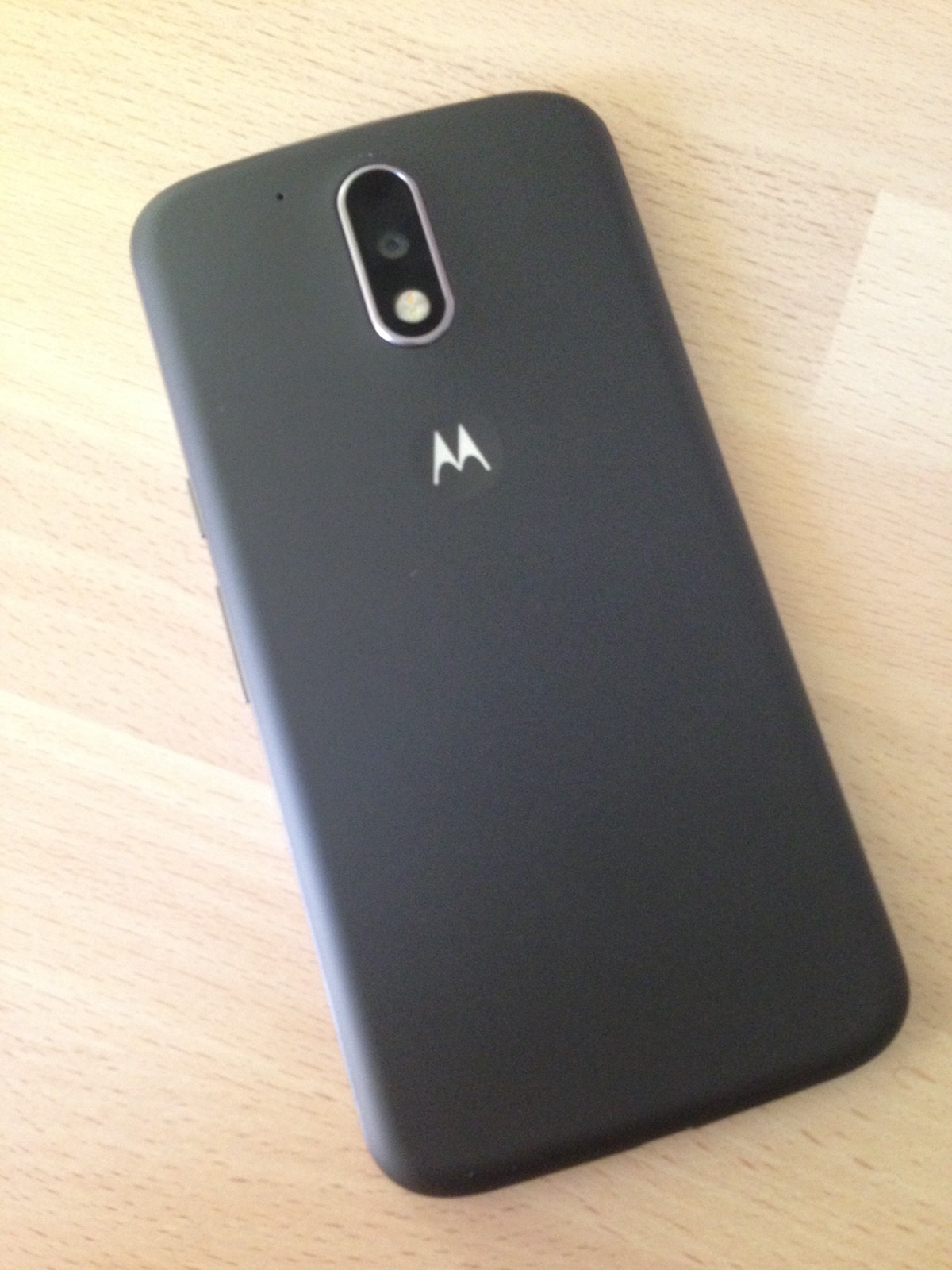
They might be plastic, but Motorola make good solid handsets. The G4 is no exception. It feels strong and sturdy. Its removable back does seem a little flimsy, peeling it off I had a brief worry it would break. The back has a rubbery feel which great for grip.


It is a large phone - especially when you are used to an iPhone 5 or SE with their 4” screen - but the handset fits neatly in the hand. It is thinner than previous models and despite its size feels like it weighs less, although officially both weigh 155g.

The back features the camera, flash and the Moto dimple. The bottom features the MicroUSB port for charging, and connecting to a computer, and the right side has the power/lock button which has a textured feel and also the volume rocker. The top has the headphone socket.

Screen
The 5.5” screen is superb. It is large and very bright and the 401ppi makes it very crisp. Colours look vibrant and viewing angles are great. One thing I have found on all Moto is the screen is very sensitive to touch, which takes a little getting used to.


Cameras
The G4 has the same 13MP camera and 5MP front camera as its predecessor although the front camera now features a ‘selfie flash’ mode similar to the Galaxy S7 and iPhone SE. It shows a white screen illuminating your face in low light.


Back camera: outdoor shots


Front camera: outdoor shot and indoor shot


Back camera: indoor shot

Call/Music
It is a phone primarily, so call quality is important. This handset has the clearest and loudest call quality I have ever experienced on a phone. I live in a poor signal area and still had no issues even indoors.

Music playback was also as good as you get on a phone. I’m not a fan of banging out choons on a tiny phone speaker - no matter what the manufacturer claims - but it performed decently and when hooked to a Bluetooth speaker it was superb. Listening over headphones also produced very loud sound - something I like from a phone.

Performance
This handset is no slouch. Everything is a dream to use on it. Surfing the web, Facebook, Twitter, listening to music, gaming and even navigating the OS, this Moto is amazingly fast.

It’s large screen makes viewing web sites, browsing social media, watching YouTube videos and looking at your camera roll a superb experience.

Battery
It packs in a 3000mAh non-removable battery. Out of the box it was almost fully charged and setting it up, performing the 6.0.1 update and installing her apps made no dent in the battery. The following day, she continued to play with it, made calls and listen to music connected to a bluetooth speaker and by 10pm it still had over 70% battery left. That is very impressive.

OS
As with other Moto handsets, Motorola offer a nearly vanilla Android experience with a few Motorola apps thrown in. It shipped with 6.0 Marshmallow and is due 7.0 Nougat in the near future. The Android world generally falls short of the massive four year of updates you get in the Apple world - however you are talking about a phone that is a quarter of the price.

Conclusion
I was already seriously impressed with the Moto G range - and this large, elegant G4 has seriously turned my head. I can’t fault it in any way.

My ageing iPhone is in need of updating and for the first time I am seriously swaying away from iPhone.

Written by Simon Royal. Follow me at twitter.com/simonroyal

Monday, 12 December 2016

Secondhand Smartphone Upgrade: From 2014 Moto X to 2015 Moto X Play

Just recently I decided I could do with an upgrade from my 2014 Moto X, one that has or will receive Android Nougat, as the 2014 X will not get it due to the age of the CPU. I was considering a Motorola Nexus 6 but it is still a bit out of my budget, but then I spotted a Moto X Play XT1562 at a great price, unlocked and boxed with it's original charger, so I took the plunge and traded up.


First impressions are the 5.5 inch 1080P IPS screen is great, though not quite as black as the AMOLED 5.2 inch screen on the 2014 X. I mainly notice this with Active Display, when it wakes to show the clock when picking it up (it uses the accelerator to detect movement) or when shows a notification. It also does not have the 'wave to wake' feature where you can wake it by waving your hand over the screen, as if you were a Jedi, which is a shame but not a deal breaker. There's no gyro, compass or temperature sensor which is slightly baffling considering the previous model had them.


On the backside of my device is a nice replaceable rubberised back cover which stops it from slipping out your hand, which is handy on such a big heavy device. I loved the old real walnut back on my old X but this rubberised back is more practical, particularly if you do not intend to use a case. It feels a bit heavier than either my old X or my LG G3 but kind of in a reassuring way, it doesn't feel unbalanced. Underneath is a huge non-removable 3630mAh battery. Well it is huge compared with the puny 2300mAh battery in my old X! The SIM/SD card tray is at the top of the device the same as the older X. The usual volume and power buttons are on the right hand side.  


After restoring all my apps during the setup process, which Marshmallow (and above) makes pretty simple now, I setup Nova Launcher with knock to lock and made it look even more stock than it's default launcher. The weather widget is Moto's ripped from the Moto Z and can be downloaded here. The mostly stock Android, that is usual with Moto devices, is buttery smooth on this device, significantly so from my old X, most likely down to the octa-core (4x1.7 GHz Cortex-A53 & 4x1.0 GHz Cortex-A53) CPUs inside, compared to the quad-core 2.5 GHz Krait 400 in the old X.

Camera

The rear camera is very impressive, at 21MP, and does not feel like they threw more pixels at an 8MP device like the Sony Z2 I had. The front camera has 5MP, which is also an improvement over the 2MP on the previous X. One feature I really like is you can get straight into the camera from the lock screen by quickly pressing the power button twice (it vibrates in conformation) or you can quickly twist the device side to side like the old X, which I found took some practice to get right and was slower in practice. Volume down button acts as a shutter button, if you prefer that to tapping the screen, and holding it enables burst mode. The default camera app is a slightly improved, you can manually control the exposure, which I don't remember being there previously. I also noticed that you can use slo-mo on the 'selfie' camera too, unlike on the old X. There used to be a halo effect around the edges of buildings with HDR shots, there's none of that with this device. My only real criticism camera-wise is lack of Photosphere mode in Google Camera due to the lack of a gyro. It takes decent sharp detailed images all the way to edges but I'll let you judge from some photos I took using the stock camera app:

Fairly low light during sunrise:


Misty morning:


Panorama:


I think a user could probably get even better images using third party cameras, particularly to replace the slightly sub-par panorama mode. The Play takes fairly decent 1080P videos, probably about the same or slightly better than my old X. I am surprised it lacks the 2K video recording in the older X, though I never really used it due to the amount of space the recordings take up and the slo-mo recordings are lower in quality too. I have collated a selection of my recent photos using the X Play in an album here.

Battery

The battery life with the 3630mAh battery on the Play is amazing, particularly compared with the older Moto X, I'm usually getting about a day and a half of battery life, and nearly 5 hours screen on time! With particularly high camera usage one time, it dipped to about 3 hours screen-on time. I take a lot of photos, browse the net a lot, and use Hangouts and Facebook Messenger, though I don't play any games.

Conclusion

The Moto X Play feels like it was created for media lovers, with it's huge battery and excellent 21MP/5MP cameras (which is only let down by the lack of a gyro) and MicroSD slot. The near-stock Marshmallow 6.0.1 OS is buttery smooth on the device and it is officially scheduled to receive Nougat sometime early next year. I also really like the 5.5 inch screen which feels large compared with the 5.2 inch of the old X, but the device still manageable in my hands, particularly with the nice rubberised back. It is worth also considering the Moto X Style (which has a gyro and bigger higher resolution screen, but a slightly smaller battery) and also the Nexus 6, but they are still a bit more costly secondhand compared with the Play. So overall, I am very pleased with the X Play so far, it suits my usage well. I consider it the best Android phone I have had so far, having previously owned the 2014 Moto X, Sony Z2, LG G3, Moto G (1st and 2nd gen), Nexus 5, Samsung Galaxy S3, Motorola Atrix 4G and HTC Hero. It is also the youngest device I have had being only just over a year old. Hopefully it will be even better under Nougat when that arrives in the new year, I shall update this review then.  

Update 15/01/2017: Motorola has confirmed that the EU version of the Moto X Play will get the Nougat update by the end of January.


Good:

  • Excellent battery life
  • Great cameras (21MP and 5MP)
  • Splash and dust resistant
  • Micro SD slot
  • Fast charging
  • Upcoming Nougat update
Bad:

  • No gyro or compass sensor.
  • No 2K video recording.


Wednesday, 16 March 2016

Former Flagships: From LG G3 to Sony Xperia Z2


Several months back I accidentally dropped my LG G3 and had the screen replaced, but unfortunately it now seems to be becoming glitchy, so I decided to replace the phone with something different/better.  On my limited budget, I went for a one of the G3's competitors (of the era), a Sony Xperia Z2 as it has a 20MP camera, 3GB RAM, decent size battery, shatter-proof screen and waterproof (IP58 certified) body. I found a decent secondhand one on eBay at a reasonable price. It only has a few marks on the rear glass back, the rest is in great condition, including the 5.2 inch 1080p screen.

 
First impressions when I picked it up out the box was it's feels reassuringly heavy and robust, particularly the metal sides and buttons. Booting up, the device led me through the setup wizard, including creation of a Sony account. When I had finished I realized I could have used their backup/restore tool to restore straight from my G3! The default look isn't a stock look, the icons and widgets look a bit toy-like to me, so I installed Nova and replicated a cleaner, nearer stock look, with Marshmallow icons, in the same way I did with my G3. Like the LG, the Z2 has Knock To Wake (but not Knock to screen off), it just needs to be enabled in the settings. It might take me awhile to really get used to having the buttons on the side of the phone again, especially as the Z2 has the Power button and Volume rocker in the centre of the side of the device.


The Z2 currently runs Sony's version of Lollipop 5.1.1 (my LG G3 only has 5.0.2), it feels quick and I have so far not felt any lag, likely helped by a lighter UI and 3GB RAM. My G3 used to underclock itself when it got hot so it sometimes lagged briefly. All Z2s will get Marshmallow at some point, and there's a beta currently available for some. There's quite a few extra apps I am not sure I actually need, mostly camera effects, and some can be 'uninstalled' but at least it's easier to make it look stock than with LG. For example, Sony does not skin the Quick Settings so they're not ugly like LG's. However if you do not disable these extra apps, particularly Facebook and Twitter, you will find they bloat up to huge sizes as each update adds to the original size of the app and the 16GB version quickly feels too small.


Camera

The Sony Z2 has a 20MP camera that can record video at 2160p@30fps, 1080p@60fps (compared to 30FPS on my G3) and 720P@120fps. It does not have Optical Image Stabilisation (OIS) which the LG G3 has. Slightly annoyingly HDR mode is buried in the stock camera settings, so it is not convenient. In fact most advanced features are only available when you set it in manual mode such as resolution and shot type. Luckily there are plenty of decent third party camera apps. Marshmallow will apparently bring the Z5 style camera interface to the Z2. I like the physical camera button, which can take you to the camera app when you hold it for 1 second, wherever you are in the OS or from the lockscreen. I do kind of miss the Quick Look case though. There's a ultra-quick burst mode setting, and you hold down the shutter button to activate it.


I'm a bit disappointed in the low light sunset shots by the Z2, as no matter which app I tried, I could not get a decent shot, as the white balance and contrast seems to be all out of whack, even when using HDR mode in other apps. I shall have to experiment further with settings and other camera apps to see if it can do better.


By default, the Sony camera app seems to use 8MP at 16:9 ratio, but I prefer to set it to Manual mode and 20MP at 4:3. I think the LG G3 has a greater dynamic range. On one very sunny day in Lincoln, I tested out the camera and found I got the best results, or at least to my tastes, using A Better Camera's HDR mode at 20MP, 4:3. The app used to suck the battery life out of my G3 but works just fine on the Z2. Here's a few examples:


You can find more photos from the same day here.

Here's another sunset shot, on a different day, that came out very well:


Battery Life


I am already noticing that I get far better battery life with the Z2 than I did with my LG G3. I used to have to charge my phone at some point in the early evening and then put on charge when I go to bed. The Z2 on the other hand seems to last me all day without that evening recharge, depending on usage. This is probably due to a combination of the larger 3200 mAh battery (the G3 one is 3000 mAh) and lower resolution screen. The G3's 1440p display might be larger, and pretty with it's tiny bezels, but it really does suck up more power.  I also actually find the Z2's display more pleasing to my eyes and easier to see in bright sunlight. The G3 does have a removable battery, unlike the Sony, but it's not as convenient and obviously requires the purchase of a spare battery. I also like that I can remove the MicroSD card from the Sony without having to shut the phone down.

Call Audio Quality

When I first tested the Z2s in a call, the caller at the other end could barely hear me, as my mic audio volume seemed to be really low. However, I found out that disabling Microphone Noise Suppression (Settings > Call Settings) solves the problem. After a reboot, it's now perfectly acceptable, though in Skype it is still a little bit low so I think I shall be using my Bluetooth headset for that.


Conclusion

Overall, despite the slightly better camera performance on the LG G3, I prefer the Sony Xperia Z2 as it doesn't lag at all, or get as hot. One time I awoke to find my LG G3 was really hot and about to shut itself down. I had to leave it off for about 20 minutes or so until it had cooled down before attempting to use it again. The Z2 also feels more durable and can apparently survive a splash or a dunking, though I'm not going to test that myself on purpose! The G3 is a great device when it's working fine, but I much prefer the Sony Z2's reliability, better battery life, and solid performance as a daily driver.